
A mobile surveillance trailer only earns its place if it can be moved, and moving it only works if setup is something your own people can do. When deployment requires a scheduled technician, a torque wrench and an afternoon, the equipment stops moving. It sits where it was first placed and becomes a fixed camera with wheels.
This covers what setup actually involves, how long each stage takes, and the design decisions that separate a platform your team can redeploy on a Tuesday morning from one that needs a service call.
What deployment time actually measures
Deployment time gets quoted loosely, so it is worth being precise about what is being counted.
Arrival to recording is the interval from the tow vehicle stopping to cameras capturing usable video. This is the number most often quoted and the shortest.
Arrival to operational adds remote connectivity, verified camera views, confirmed recording to your VMS and a stable power state. This is the number that matters, because a platform recording locally that nobody can reach is not yet doing its job.
Arrival to resolution is the interval before the deployment produces an outcome. In 2019 the Woodbury Police Department deployed a Falcon platform at a park during the week of the Fourth of July. Roughly three hours after a brief training session and setup, officers responded to a call at the location, accessed the cameras remotely from another part of the city, identified the individuals involved and used two way audio to resolve the situation without dispatching a unit.
When you evaluate any vendor, ask which of the three they are quoting.
How to set up a mobile surveillance trailer, step by step
The sequence below assumes a trailer platform with an electric mast. Times are typical for a trained operator working alone.
- Position the platform. Place it where the mast has clear sky for solar exposure and clear sightlines for the cameras. Account for the mast height at full extension and confirm nothing overhead is in the way.
- Chock and stabilize. Set the tongue jack and extend the outriggers. Adjustable outriggers matter here, because the stance you need in an open lot is different from the stance you can fit in a narrow alley. MPS platforms adjust to 5, 7.5 or 10 feet.
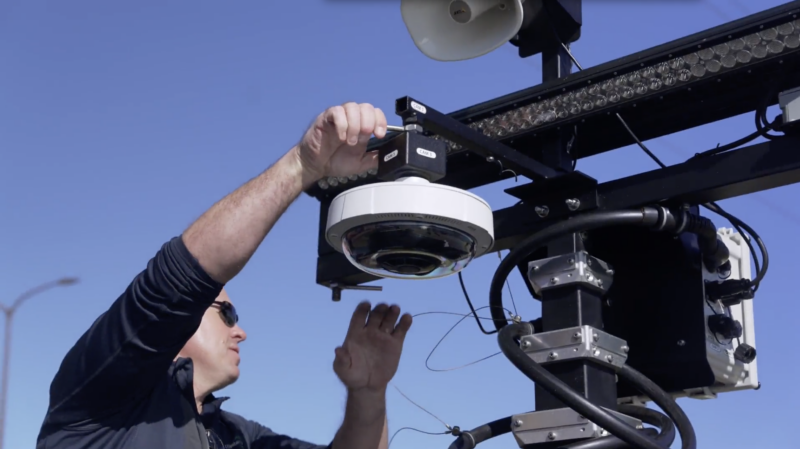
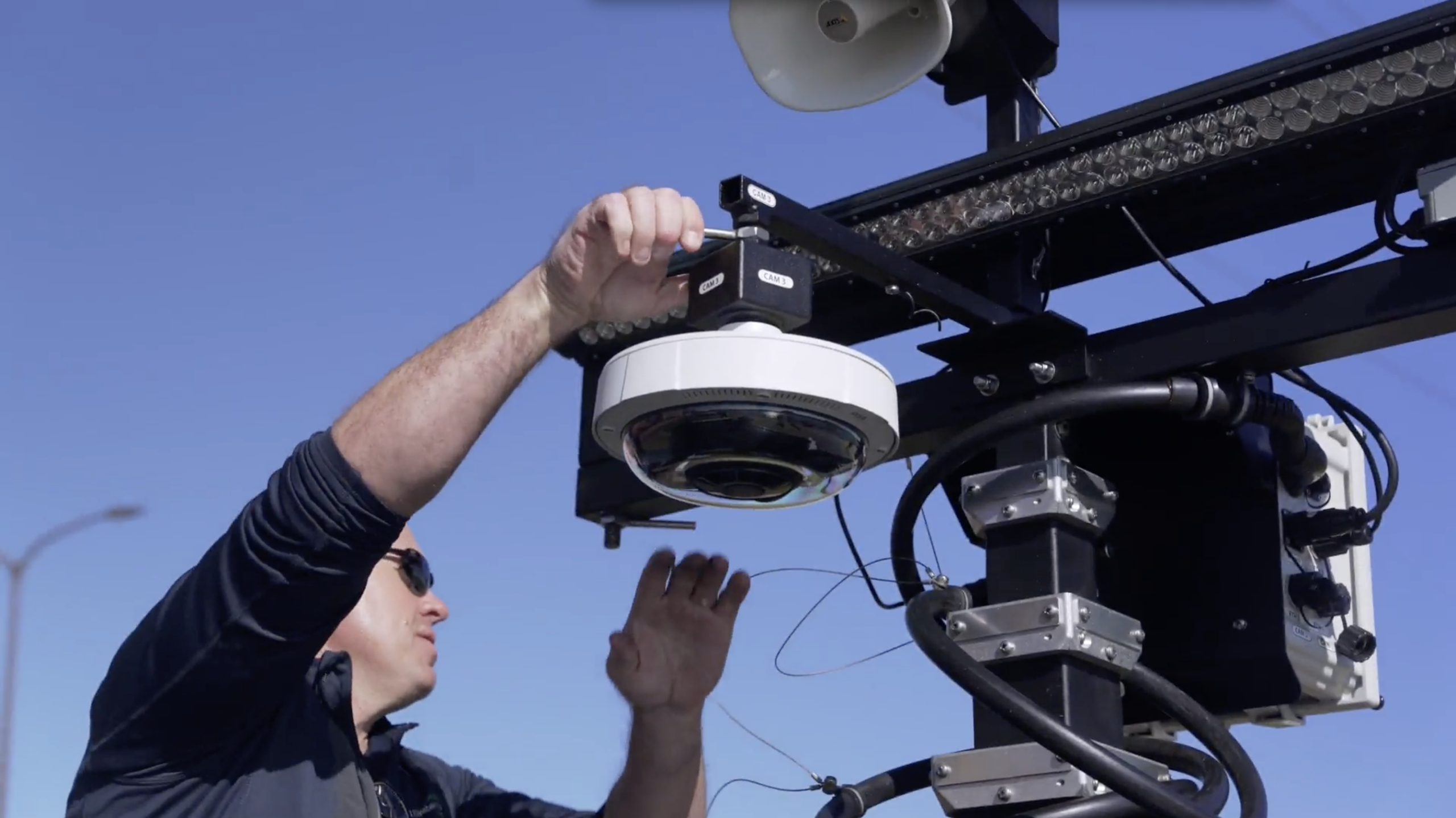
- Mount the cameras. Cameras travel inside the trailer rather than on the mast, so this is where most of the hands on time goes. On MPS platforms each camera seats into its base and secures with a few turns, no tools involved. Camera positions at mid mast accommodate license plate recognition cameras, 360 degree cameras, radar and IP audio.
- Connect. Weatherproof quarter turn bayonet ethernet connectors seat by hand. Every cable terminal and its matching port is labeled, including positions that are prewired for devices you have not added yet.
- Power on. A single switch brings the system up. The onboard touchscreen shows system state locally, so you can confirm the platform is healthy before you leave the site rather than discovering a problem from the office.
- Raise the mast. On MPS platforms the mast extends at the push of a button in about a minute. Roller locking at each section top holds the extended mast rigid, which keeps images stable in wind and keeps the system from burning storage on motion that is only the mast moving.
- Verify remotely. Open MPStatus and Control, confirm every camera reports and matches its expected view, and confirm the feed is reaching your VMS. Consistent naming between the physical labeling and the interface means camera three on the mast is camera three on the screen.
What makes setup fast, and what makes it slow
Deployment time is not a feature. It is the downstream result of how the platform was built.
Where the components live. Open the side panel on an MPS platform and every component is reachable. The laptop rolls out for onsite use. The generator sits in its own enclosure and lifts out for service. The storage bin rolls clear of the battery packs underneath. Buried electronics and tangled cable runs turn a ten minute check into a service call.
Whether options have a home. Option positions are designated and prewired from the factory, including mast devices. Adding a camera or a sensor later is an order and an installation your team performs, not a return to the factory for retrofitting and weeks out of service.
Whether tools are required. For most setup and teardown tasks on MPS platforms, no tools are needed. Every tool a deployment requires is a tool that can be missing when the truck arrives.
How the system shuts down. Soft shutdown closes VMS and operating system files cleanly rather than cutting power under load. A platform approaching battery depletion enters hibernate, keeps monitoring cell conditions and keeps reporting to MPStatus, so the state is visible rather than silent. Firmware updates apply through a web interface.
Transport between sites
Redeployment is half the case for mobile surveillance, and it is the half most specifications skip.
Braking. The Commander platform uses an electric brake system with battery backup that meets and exceeds DOT breakaway requirements. A standard 7 way plug with individual brake control and constant power from the tow vehicle keeps compatibility broad across fleet vehicles.
Base and supports. The trailer base is coated against corrosion for service in road salt and harsh conditions. Tongue jack mounts are heavier duty than the hardware normally supplied for trailers of this class.
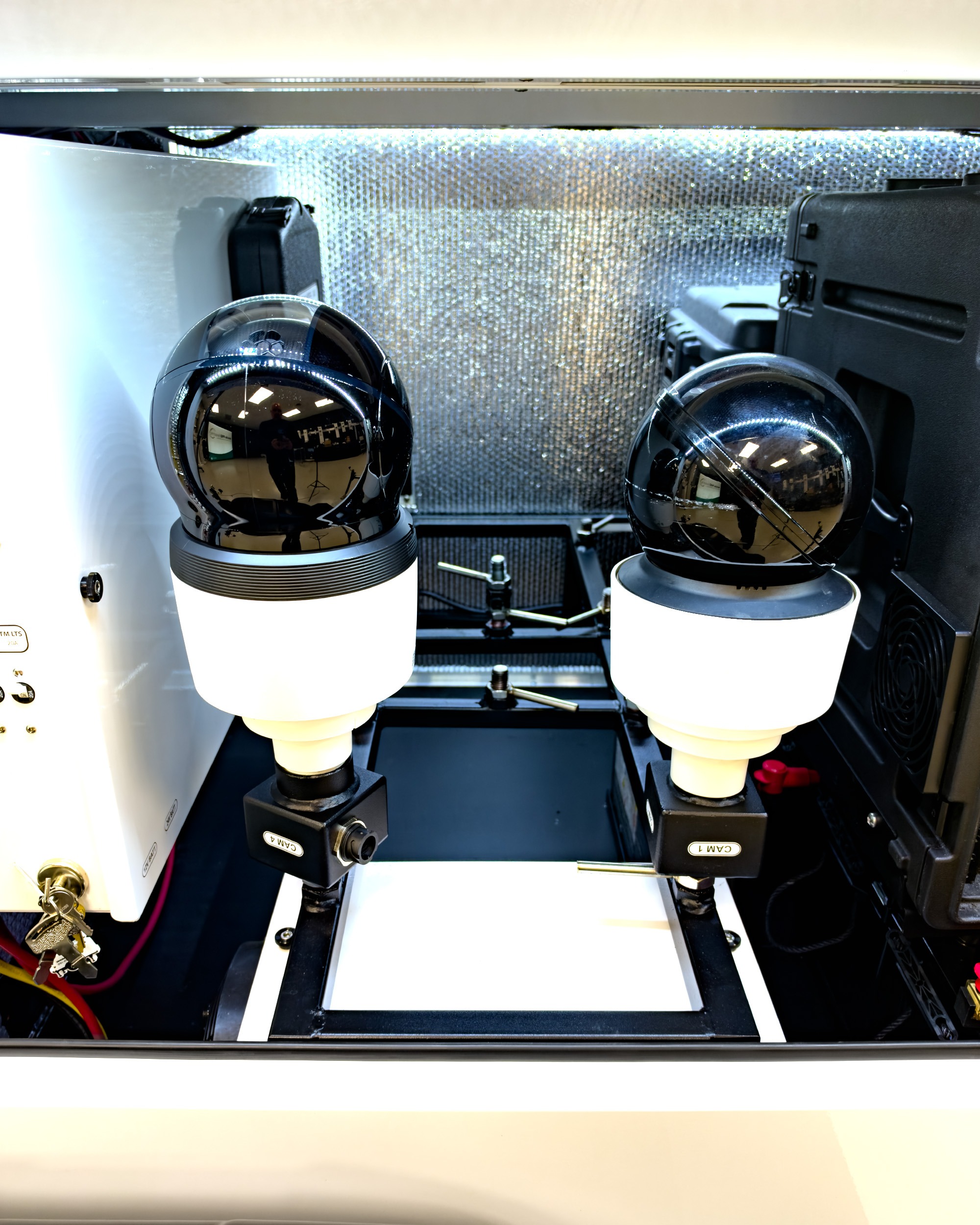
Camera protection. Cameras come off the mast for every move. The internal rack accepts most camera types and brands, secures them against travel movement and releases upward for access to what sits below.
Loading. Optional forklift mounts sit beneath the fenders and span the tires at the center of the load, positioned so the trailer will not slip on the tongs during side loading from a flatbed.
Training and who can operate it
The relevant question is not whether a platform can be deployed quickly, but whether the people who will actually deploy it can do it without help.
MPS platforms are built for hands on use by their owners rather than by third party technicians. Onsite training runs at customer facilities, and the Woodbury deployment above went from a brief training session to a resolved incident in a single afternoon.
What to ask any mobile surveillance vendor
A short list worth taking into any evaluation.
- Which deployment time are you quoting: recording, operational or resolution?
- Can our own staff deploy and redeploy it, or does that require your technician?
- What tools are required for setup and teardown?
- How long does the mast take to extend, and how is it stabilized at full extension?
- Do cameras remain on the mast during transport, and if not, how are they stored?
- Can we add cameras or sensors later without returning the unit to the factory?
- Are option positions prewired, or does adding a device require new cable runs?
- How do we confirm the system is healthy before leaving the site?
- What happens when the battery approaches depletion?
- What training is included, how long does it take, and who delivers it?